
Key features
- Synchronise data automatically or on demand
- Simple set up in Rydoo Accounts Payable platform
- Synchronize all dimensions with relations
How it works
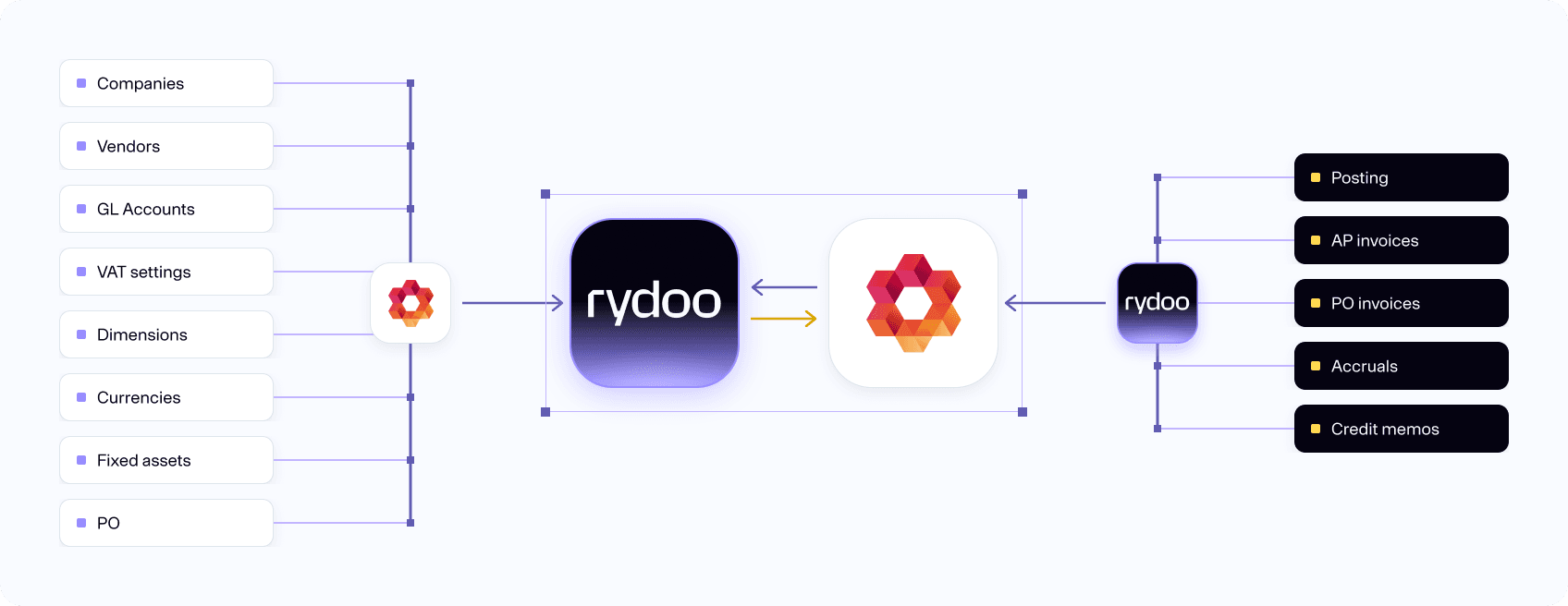
Our web-based integration interface, built into Rydoo Accounts Payable, makes connecting to PowerOffice Go simple. All accounts, dimensions, suppliers and other accounting parameters sync from PowerOffice Go, so they're always available and up to date in Rydoo Accounts Payable. The integration also brings over the department and project managers linked to each department or project, so you can automate even more of your invoice approval flow.
Plug and play
As being based on the Rydoo Accounts Connect user interface, the integration works out of the box and comes with multiple options for synchronizing data, making sure your needs for either faster syncing or higher performance is taken care of.
Connect Poweroffice Go with Rydoo Accounts to expand the possibilities of working more efficient and with larger invoice volumes. Connecting Poweroffice Go with Rydoo Accounts will give you a multi-client overview and working environment for the AP process.
FAQs
Yes, all dimension values are synchronized for both projects and departments.
You only need the Client Key found under Extensions in Poweroffice.
Yes, Rydoo Accounts Payable will synchronize all VAT codes, including the custom ones