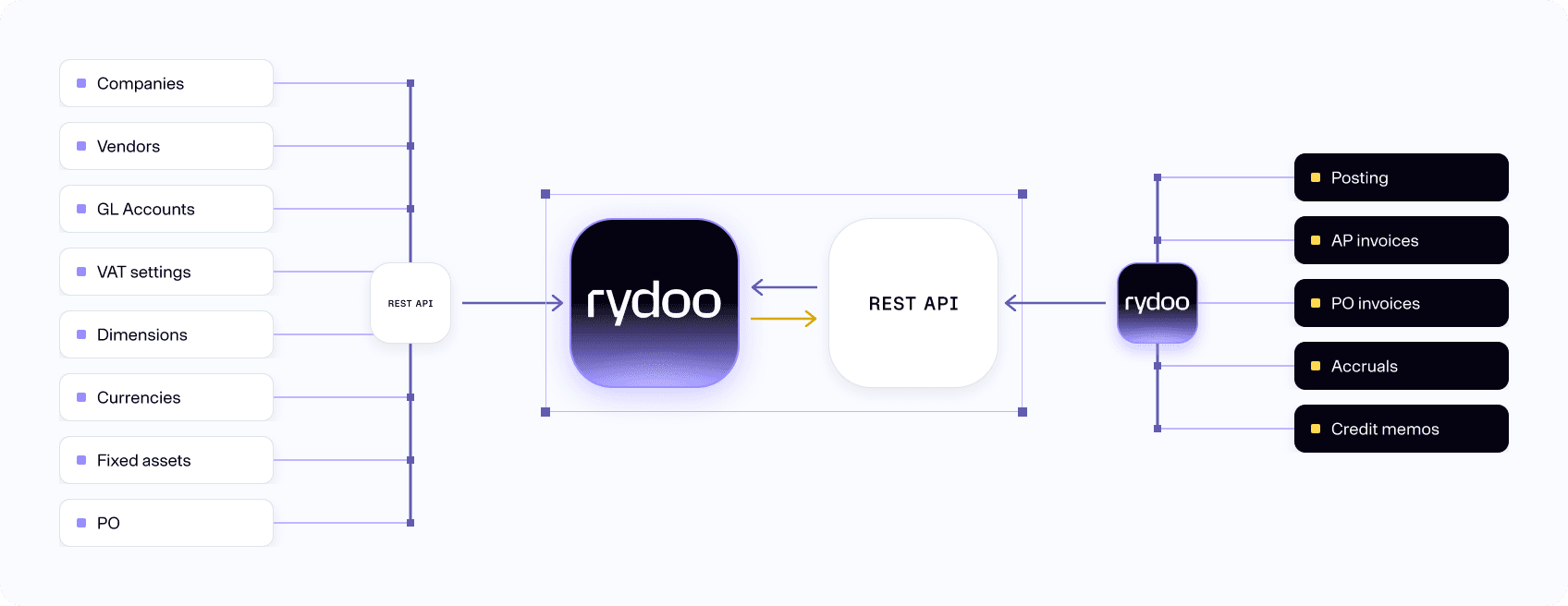
REST-API
Key features
- Sync master data from any system
- Customize the data for your need
- Connect with any 3rd party tools or systems used for purchase order, contracts or other related systems
- Retrieve fully processed invoices, attachments and ledger data for direct posting in your ERP or accounting system
How it works
Rydoo Accounts Payable's REST API lets you integrate with virtually any system. With a standardized protocol, comprehensive documentation, flexible data formats and a modular design, it's easy to connect to your existing tools.
Open and accessible
The Rest API uses standardised endpoints with an easy-to-understand naming so that any developer will quickly understand how to integrate with another system.
In addition to a standard Swagger site detailing the endpoints, there is also detailed documentation written by our API-experts to help you get started with development against Rydoo Accounts Payable in the best possible way. We are continuously adding functionality, but we strive to keep the integration API as stable as possible to avoid any surprises.
Countless possibilities
We aim for development against our API to be as smooth as possible, we are therefore committed to continuously expand and develop our available documentation.
Rydoo Accounts Payable has good experience with combining our own ERP specific integrations with 3rd party integrations developed specifically for handling e.g. purchase order outside of the customer’s ERP system.
FAQs
You will need a Rydoo Accounts Payable account with integration role. Get in touch with support-ap@support.rydoo.com to get an account.
For submitting invoices for processing and retrieving processed invoices, we support standard UBL 3.0 (XML) and our own JSON invoice format. Attachments may be included as base64 encoded strings.
Error responses and http response codes will provide the required information for error handling. Synchronization will be performed for all valid elements such as dimensions, account codes or suppliers. Any invalid or failing element will be listed as ‘not synced’ in the response body in order to facilitate error handling.