
Key Features of the Connector
Synchronise data automatically or on demand:
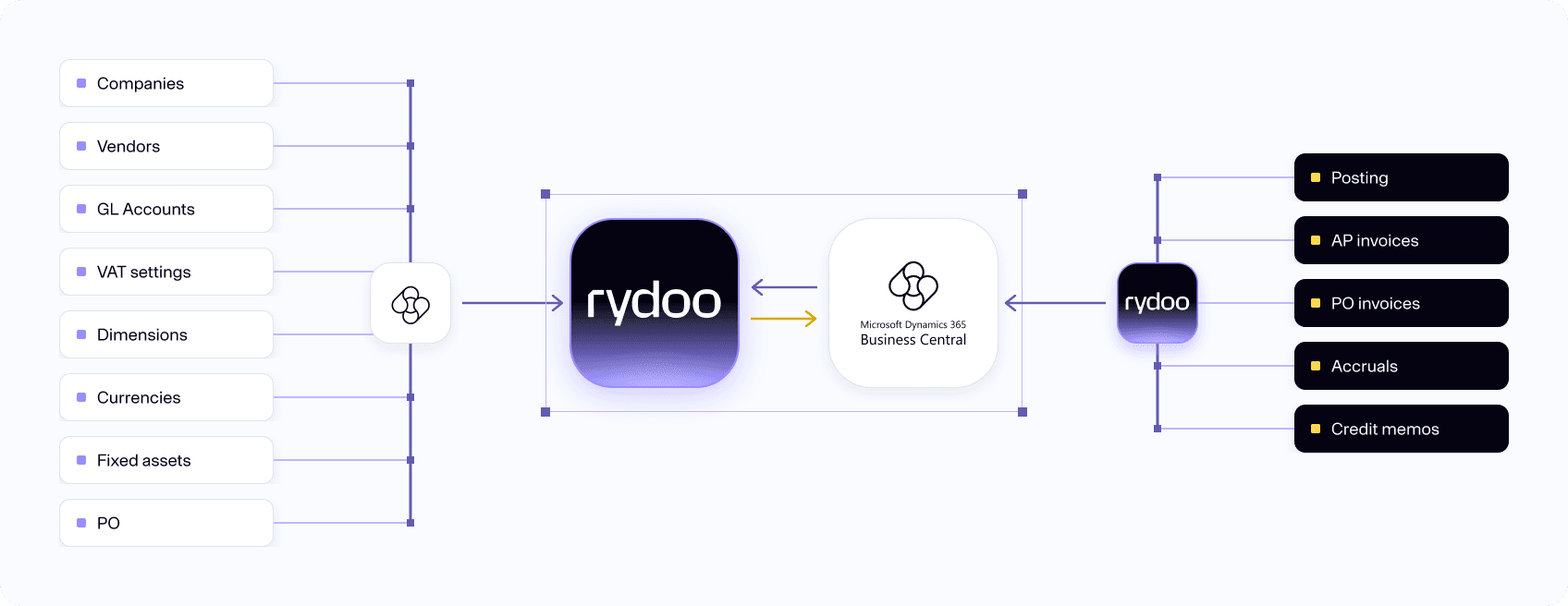
- Decide for yourself the frequency of the automatic data synchronization, or manually push data on demand.
Import POs from ERP into Rydoo Accounts Payable:
- Purchase Orders, as well as Goods Received Notes, are automatically sent from Microsoft Dynamics 365 BC to Rydoo Accounts Payable.
3-way support for matching of purchase orders:
- Purchase Orders, as well as Goods Received Notes, are automatically sent from Microsoft Dynamics 365 BC to Rydoo Accounts Payable.
How it works
Our Microsoft Dynamics 365 Business Central integration lets you work even more seamlessly with Rydoo Accounts Payable. It syncs data from MS Dynamics 365 BC, so all accounts, dimensions, suppliers and other accounting parameters you need are always available and up to date.
Want to try the connector? Visit the AppSource page to connect easily.
Plug and play
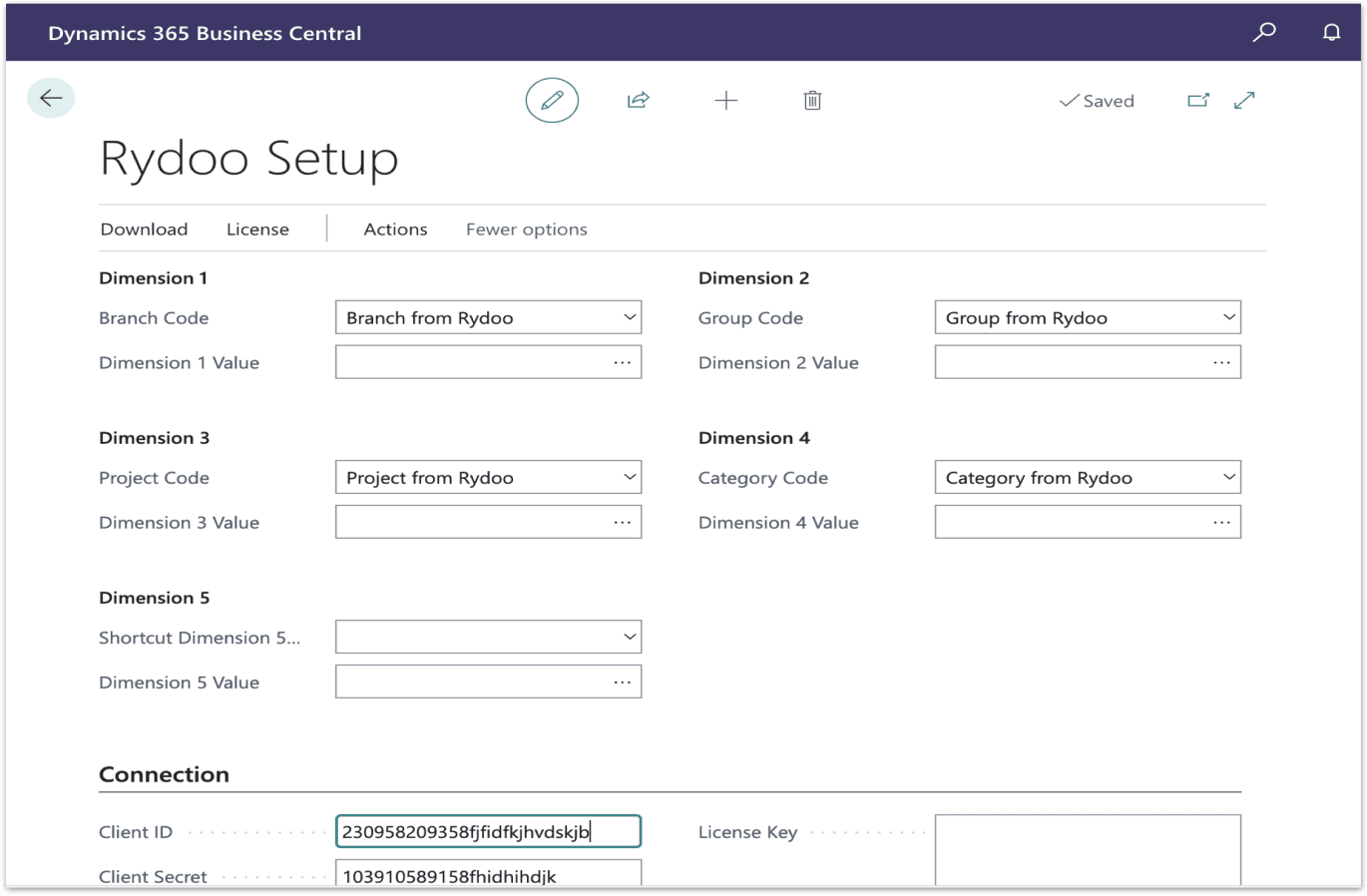
As a Microsoft Partner, we’re committed to making sure that you have a frictionless user experience, which is why we have a dedicated plug-in for Dynamics 365 Business Central. It works out of the box and comes with advanced error handling to help ensure high-quality syncing. All you need to do is connect the two systems – no custom development necessary.
Expand your possibilities with Microsoft Dynamics 365 BC by connecting with Rydoo Accounts Payable. By connecting the two systems, you can work more efficiently with a larger number of invoices.
FAQs
The sync intervals can be configured by yourself or your system integrator when you do the setup in our self-service center.
Yes, the purchase orders are imported, and you can match them against the received invoices.
The PO lines can be matched against the invoice lines, or you can choose to keep the information from the PO lines as received from the ERP when posting the PO invoices. Categories like Freight or fees can easily be set up in the ERP, and will automatically be added as separate lines for posting.